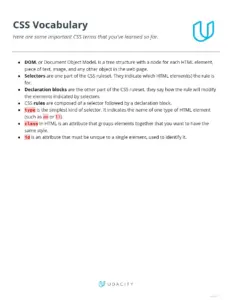


CSS syntax reference sheet provides a comprehensive overview of CSS rulesets, selectors, and properties. It covers essential topics such as element selectors, class selectors, and id selectors, making it ideal for web developers and designers. This resource is perfect for beginners learning CSS or experienced developers looking for a quick reference. The document also includes examples of how to apply CSS properties effectively, ensuring a solid understanding of styling web pages.

Key Points

  • Explains the basic syntax of CSS rulesets, including selectors and properties.
  • Covers various types of selectors such as element, class, and id selectors.
  • Includes practical examples demonstrating how to apply CSS styles.
  • Discusses advanced topics like font stacks and flexbox layout.

Tedi Sam
6 pages
Language:English
Type:Textbook
Tedi Sam
6 pages
Language:English
Type:Textbook
145
/ 6
CSS Syntax
You've seen many examples of CSS syntax in this lesson.
Here's a review!
The basic syntax of a CSS ruleset has two parts: a selector, and a group of rules, each of which
consists of a property name and the value of that property.
selector {
property: value;
}
The selector is written first, and then the rules are written inside { curly brackets }. Each rule's
property and value are separated by a : colon, and the rule always ends with a ; semicolon.
Selectors
The selector indicates which HTML elements the rule will apply to. You've seen a few different sorts
of selector: the element selector, the class selector, the id selector, and the descendant selector.
A type selector applies to every HTML element of a particular type, such as p or em. This selector
will apply to every p element:
p {
color: blue;
}
version 1.0
A class selector applies to all elements that share a class attribute. The class selector is written
starting with a . (dot):
.narrow {
width: 20%;
}
In order for the class selector to apply, there have to be HTML elements on the page that use that
class attribute:
<div class="narrow">
This will get the 20% width.
</div>
An id selector applies to an element with a particular id attribute. The id selector is written
starting with a # sign:
#sidebar {
background-color: lightgray;
width: 20%;
float: left;
}
version 1.0
Within an HTML page, there should be only one element with that id attribute value.
<div id="sidebar">
This will get the background, width, and float values from the
sidebar CSS rule.
</div>
A descendant selector is a compound of two simpler selectors. It applies only to an inner element
that is a descendant (on the DOM tree) of a particular outer element.
li a {
color: pink;
}
The above selector will apply to a elements (hyperlinks), but only those inside an li element (list
item):
<ul>
<li> <a href="https://www.udacity.com/"> Pink Udacity </a>
</ul>
<p> <a href="https://www.google.com/"> Non-pink Google </a>
version 1.0
/ 6
End of Document
145

FAQs

what is CSS syntax reference sheet

A CSS Syntax Reference Sheet is a concise guide that outlines the rules and structure of CSS (Cascading Style Sheets). It provides essential information on how to write CSS rules, including selectors, properties, and values.

  • Selectors: Indicate which HTML elements the CSS rules apply to.
  • Properties: Define the styles to be applied, such as color, font-size, and margin.
  • Values: Specify the settings for each property, such as 'red' for color or '20px' for margin.

how to use CSS syntax reference sheet

Using a CSS Syntax Reference Sheet involves consulting it to understand how to write and apply CSS rules effectively. It serves as a quick guide for both beginners and experienced developers.

  • Identify Selectors: Determine which HTML elements you want to style.
  • Choose Properties: Select the CSS properties that will change the appearance of the elements.
  • Assign Values: Provide appropriate values for each property, ensuring they are valid.

what are the key components of CSS syntax

The key components of CSS syntax include selectors, properties, and values. Understanding these components is crucial for creating effective stylesheets.

  • Selectors: Define the HTML elements to be styled, such as type selectors (e.g., 'p') or class selectors (e.g., '.class-name').
  • Properties: Specify the attributes to be modified, such as 'color' or 'font-size'.
  • Values: Indicate the specific settings for properties, like 'blue' for color or '16px' for font-size.

what is a class selector in CSS syntax

A class selector in CSS syntax is used to apply styles to elements that share a specific class attribute. It is denoted by a dot (.) followed by the class name.

  • Example: If you have a class named 'highlight', you would write '.highlight { color: yellow; }'.
  • Usage: This allows multiple elements to share the same styling without repeating code.
  • HTML: Elements must include the class attribute, like <div class="highlight">Content</div>.

how to write a CSS rule

Writing a CSS rule involves defining a selector followed by a declaration block containing one or more property-value pairs.

  • Selector: Choose the HTML element you want to style, such as 'h1' for headings.
  • Declaration Block: Enclose the properties and values in curly braces, like { color: red; }.
  • Example: A complete rule might look like h1 { color: red; font-size: 24px; }.

what is a descendant selector in CSS

A descendant selector in CSS is used to select elements that are nested within other elements. It allows for more specific styling based on the hierarchy of the HTML structure.

  • Syntax: Written as 'ancestor descendant', e.g., div p targets <p> elements inside <div> elements.
  • Example: ul li a { color: blue; } styles <a> tags inside list items.
  • Purpose: This helps in applying styles only to certain elements based on their context in the DOM.

what are CSS properties and values

CSS properties and values define the styles applied to HTML elements. Properties represent the style attributes, while values specify the settings for those attributes.

  • Properties: Examples include color, margin, font-size, etc.
  • Values: Can be keywords (e.g., red), lengths (e.g., 20px), or percentages (e.g., 50%).
  • Example: In p { color: blue; }, color is the property and blue is the value.

what is the purpose of CSS syntax reference sheet

The purpose of a CSS Syntax Reference Sheet is to provide a quick and accessible guide to CSS rules and structures for developers.

  • Efficiency: Helps in writing CSS quickly without needing to remember all syntax rules.
  • Learning Tool: Ideal for beginners to understand the basics of CSS.
  • Reference: Serves as a handy reference for experienced developers to recall specific properties and values.

how does CSS syntax affect web design

CSS syntax significantly affects web design by determining how HTML elements are displayed and styled on a webpage.

  • Visual Appeal: Proper CSS syntax enhances the aesthetic quality of a website.
  • Responsiveness: Allows for flexible layouts that adapt to different screen sizes.
  • Consistency: Ensures uniform styling across various pages of a website, improving user experience.

what are common mistakes in CSS syntax

Common mistakes in CSS syntax can lead to styling issues and affect the overall design of a webpage.

  • Missing Semicolons: Forgetting to add a semicolon at the end of a property can break the rule.
  • Incorrect Selectors: Using the wrong selector type can lead to styles not being applied.
  • Spelling Errors: Typos in property names or values can cause the styles to fail.