CPE 314 Lesson 3 focuses on Cascading Style Sheets (CSS), a fundamental technology for web design. This lesson covers CSS syntax, selectors, and properties, providing essential knowledge for students learning web technologies. Key topics include how to style HTML elements, control layouts, and utilize various CSS properties such as padding, outlines, and positioning. Designed for students in web technology courses, this lesson is crucial for understanding how to create visually appealing and well-structured web pages. Engr. Israel Umana guides learners through practical examples and explanations to enhance their CSS skills.
Key Points
Explains the fundamentals of CSS, including syntax and usage for web design
Covers CSS selectors, including simple and combinator selectors
Details various CSS properties like padding, outline, and positioning
Provides practical examples to illustrate CSS application in web pages
This link leads to an external site. We do not know or endorse its content, and are not responsible for its safety. Click the link to proceed only if you trust this site.
CPE 314 Lesson 4: Introduction to JavaScriptLecture Notes
PDFLecture Notes
Device Management in Operating Systems – Lesson 6Lecture Notes
PDFLecture Notes
Aldehyde and Ketone: Properties, Preparation, and ReactionsLecture Notes
PDFLecture Notes
Sensation and Perception – Chapter 2Lecture Notes
PDFLecture Notes
Essence of Psychology – Chapter 1 OverviewLecture Notes
PDFLecture Notes
Filtering Techniques in Engineering MeasurementsLecture Notes
PDFLecture Notes
BIO 001 Notes on Systematics and EcologyLecture Notes
PDFLecture Notes
Geodinâmica Externa – Formação de Glaciares e HidrogeologiaLecture Notes
PDFLecture Notes
Digital Electronics: Complements and Binary ArithmeticLecture Notes
PDFLecture Notes
Cours Energie Geothermique – Génie Électrique 3ème AnnéeLecture Notes
PDFLecture Notes
CHE26M1 Organic Chemistry II Handbook 2026Lecture Notes
PDFLecture Notes
Metallic Bonding – Chapter 9Lecture Notes
FAQs
What is CSS and its purpose in web development?
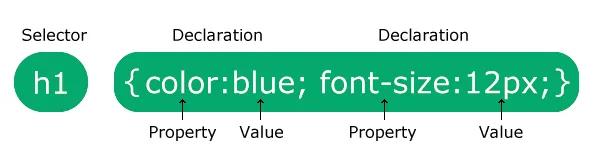
CSS, or Cascading Style Sheets, is a language used to style web pages. It describes how HTML elements are displayed on screens, paper, or other media. By using CSS, developers can control the layout of multiple web pages simultaneously, which saves time and effort in web design.
What are the different types of CSS selectors?
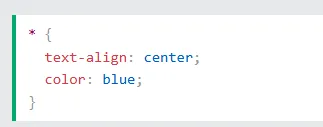
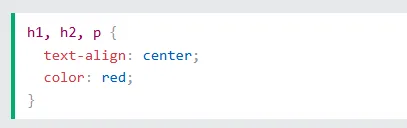
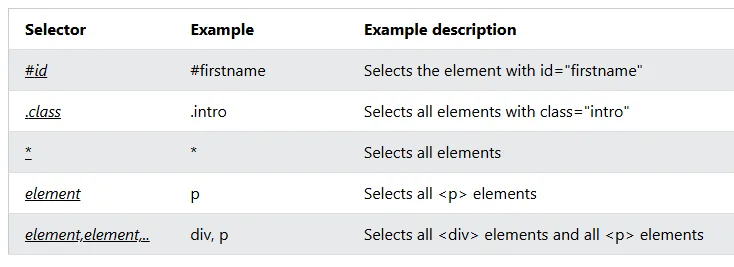
CSS selectors can be categorized into five types: simple selectors, combinator selectors, pseudo-class selectors, pseudo-elements selectors, and attribute selectors. Simple selectors select elements based on their name, ID, or class. Combinator selectors target elements based on their relationship with other elements, while pseudo-class selectors apply styles based on a specific state of an element.
How does the cascading order of CSS styles work?
The cascading order determines which styles are applied when multiple styles are specified for an HTML element. The order of priority is as follows: inline styles have the highest priority, followed by external and internal style sheets, and finally, browser defaults. This means that inline styles will override both external and internal styles, ensuring that the most specific style is applied.
What are the three ways to insert CSS into an HTML document?
CSS can be inserted into an HTML document in three ways: inline CSS, internal CSS, and external CSS. Inline CSS applies styles directly to a single HTML element using the style attribute. Internal CSS is included within a tag in the head section of the HTML document, suitable for unique styles on a single page. External CSS involves linking to a separate CSS file, allowing for consistent styling across multiple web pages.
What is the purpose of CSS comments?
CSS comments are used to explain the code and are not displayed in the browser. They can be single-line comments, indicated by '/* comment */', or multi-line comments that span several lines. Comments help developers understand the purpose of specific styles or sections of code, making it easier to maintain and update the CSS.
How can colors be specified in CSS?
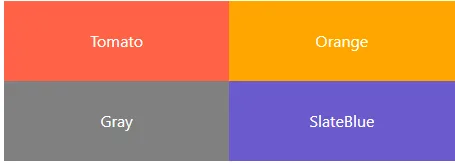
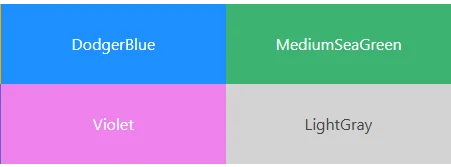
In CSS, colors can be specified using predefined color names, HEX values, or RGB values. For example, a color can be defined as 'red' using its name, '#ff0000' as a HEX value, or 'rgb(255,0,0)' as an RGB value. This flexibility allows developers to choose the method that best fits their needs when styling elements.
What are the properties of CSS borders?
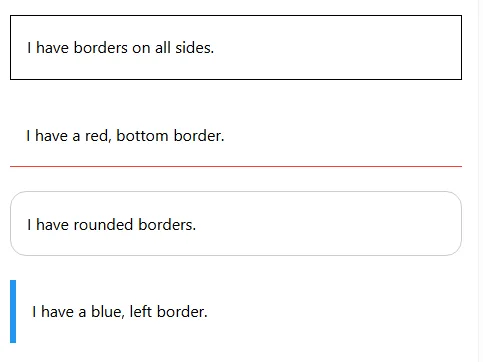
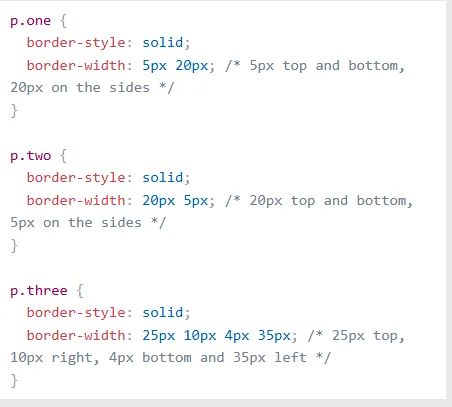
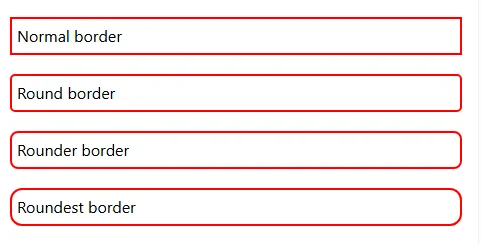
CSS border properties allow developers to specify the style, width, and color of an element's border. The border-style can include options like solid, dotted, or dashed, while the border-width can be set to specific sizes or predefined values such as thin, medium, or thick. Additionally, the border-color property determines the color of the border, which can be defined by name, HEX, RGB, or HSL values.