Tools/Libraries Descriptions
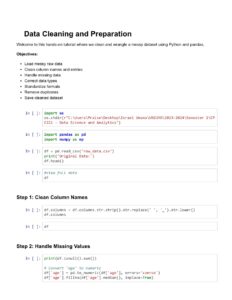
1. Python: A versatile and widely used high-level programming language, often employed for data analysis,
machine learning, web development, and automation.
2. Joblib: This is a Python library offering a collection of utilities designed to simplify common data processing
workflows. Its main strengths lie in two areas: efficiently saving and loading Python objects.
3. Matplotlib: A comprehensive library for creating static, animated, and interactive visualizations in Python.
4. NumPy: A fundamental package for numerical computing in Python, providing support for large,
multi-dimensional arrays and matrices, along with a collection of mathematical functions to operate on these
arrays.
5. Pandas: A powerful and flexible open-source data analysis and manipulation library for Python, built on top of
NumPy. It's excellent for working with tabular data.
6. Scikit-Learn: A popular and robust open-source machine learning library for Python, offering various
classification, regression, clustering, and model selection algorithms.
7. SciPy: An open-source Python library used for scientific computing and technical computing, building on
NumPy and providing functions for optimization, linear algebra, integration, interpolation, and more.
8. Seaborn: A Python data visualization library based on Matplotlib, providing a high-level interface for drawing
attractive and informative statistical graphics.
9. Streamlit: An open-source app framework for machine learning and data science, allowing you to turn data
scripts into shareable web apps in minutes.
10. Git: A distributed version control system for tracking changes in source code during software development,
facilitating collaboration among developers.
Integrated Development Environments (IDEs) / Notebook Environments:
1. Jupyter Notebook: An open-source web application that allows you to create and share documents containing
live code, equations, visualizations, and narrative text. It's widely used for data cleaning and transformation,
numerical simulation, statistical modeling, data visualization, and machine learning.
2. Google Colab (Colaboratory): A free cloud-based Jupyter Notebook environment from Google that requires
no setup and runs entirely in the cloud, providing access to computing resources like GPUs and TPUs.
3. Visual Studio Code (with Jupyter Extension): A lightweight but powerful source code editor that, with the
Jupyter extension, provides rich support for Jupyter Notebooks directly within the editor, combining the
benefits of a code editor with the interactive capabilities of notebooks.